“We run on AWS, so security is taken care of.” We hear that more often than we’d like. It’s half true. AWS secures a large part, but not everything. What’s left is yours, and that is exactly the part where things go wrong in practice.
AWS calls this split the shared responsibility model. Exactly where the line sits depends on the service you use.
The core in two sentences
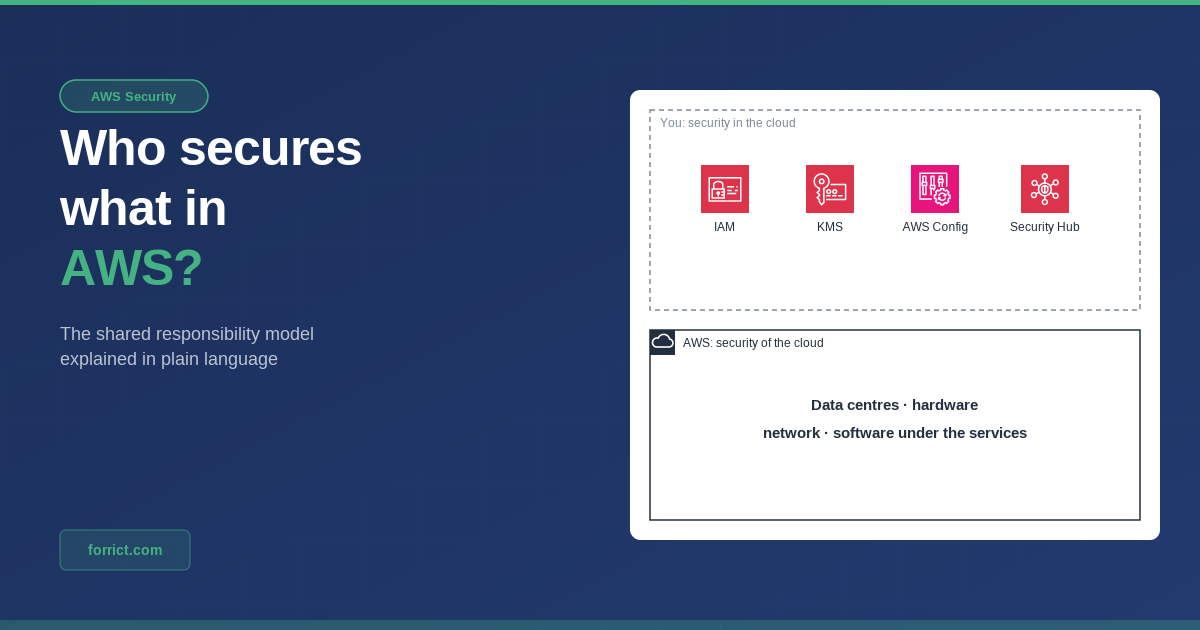
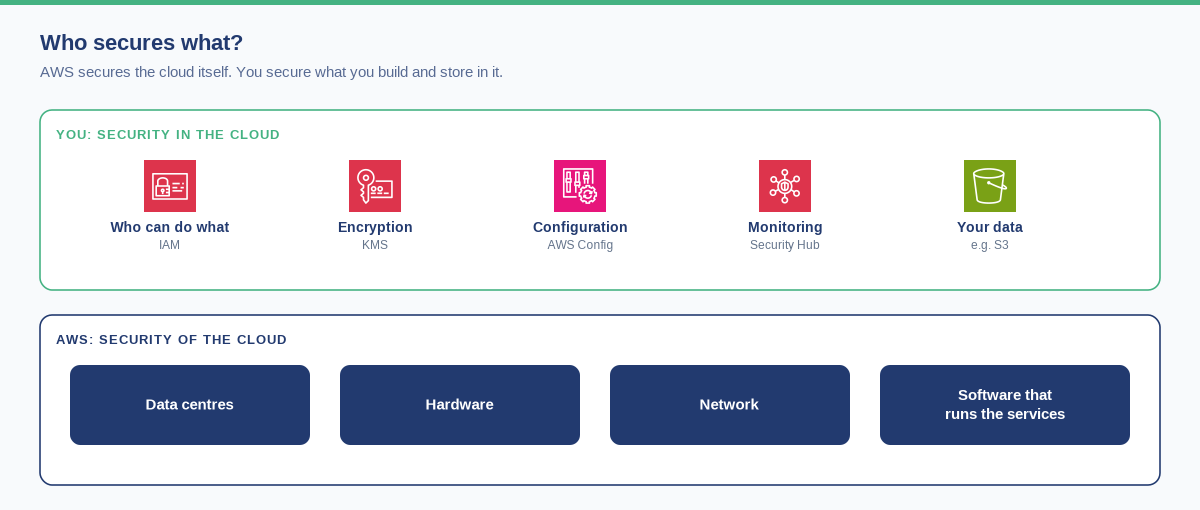
In AWS’s own words: AWS is responsible for security of the cloud, the customer for security in the cloud.
- Security of the cloud (AWS): the infrastructure that runs all AWS services. That is the data centres, the hardware, the network and the software that makes services such as Amazon S3 and DynamoDB work.
- Security in the cloud (you): how you configure and manage the services you use. AWS gives managing user access, encrypting data and setting up monitoring as examples.
The line moves per service
How much is yours depends on the service you choose. AWS says it literally: your responsibility is determined by the services you select.
| Amazon EC2 (virtual servers) | Amazon S3, DynamoDB (abstracted services) | |
|---|---|---|
| Operating system | You: updates and security patches of the guest OS | AWS operates the infrastructure, operating system and platform |
| Software on the server | You: everything you install yourself | Not applicable: you only use the endpoint |
| Firewall | You: the security groups on each instance | You: who can reach the bucket or table (IAM, policies) |
| Data | You: data, classification and encryption choices | You: data, classification and encryption choices |
The bottom row is the key point: your data and access to it always remain your responsibility, whichever service you choose.
Three kinds of controls
AWS groups controls into three kinds. That helps during an audit, because you can point to which part you “inherit” from AWS.
| Kind | What it means | AWS example |
|---|---|---|
| Inherited | Fully handled by AWS | Physical and environmental security of data centres |
| Shared | AWS does the infrastructure, you do your own layer | Patching: AWS patches the infrastructure, you patch your guest OS and applications. Configuration: AWS maintains its devices, you configure your OS, databases and applications. Training: AWS trains its people, you train yours |
| Customer specific | Only you | Separating or routing data within specific security environments |
What’s yours, in practice
Translated into day-to-day work, it comes down to this:
| Task | Where you handle it in AWS |
|---|---|
| Who can sign in and what they can do | AWS IAM and IAM Identity Center |
| Encrypting data and managing keys | AWS KMS and each service’s encryption settings |
| Knowing how everything is configured | AWS Config |
| Seeing what happens and who did what | AWS CloudTrail |
| Spotting misconfigurations and threats | AWS Security Hub, GuardDuty, Inspector |
| Patching servers and applications | You, for example with AWS Systems Manager |
None of these services is set up correctly by default. They exist, but you have to turn them on, configure them, and someone has to read the alerts.
Our take: where it goes wrong
This section is Forrict’s opinion, based on our own experience.
The risk rarely sits in the data centre. What we look at during an assessment is almost always in the top layer: a bucket that is too open, a role with too many permissions, an access key in a script. That is all “security in the cloud”.
Managed services shift work, not responsibility. Moving from EC2 to an abstracted service takes patching off your plate. Who can access your data is still your question.
Make it visible. Start with an overview of what is there today. The 12 checks from our security assessment checklist are a good starting point. Want us to look with you and put the findings in order? That is exactly what an AWS security assessment does.
In the next post we cover the foundation all these measures land on: how to organise your AWS accounts.
Request an AWS security assessment →
Sources
- AWS Well-Architected, Security Pillar: Shared responsibility
- AWS whitepaper: Shared Security Responsibility Model, Navigating GDPR Compliance on AWS
- AWS whitepaper: Security and compliance, Overview of Amazon Web Services
Forrict
AWS expert and consultant at Forrict, specializing in cloud architecture and AWS best practices for Dutch businesses.