“We need to do something with AI.” We hear that sentence at many small businesses. Then it often goes quiet: someone tries a chatbot at home, one colleague is enthusiastic, the rest wait and see. A few months later AI is still “something for later”.
It does not have to be that way. A first step needs no big project or data team, just a small and concrete start. Below is the approach we use when we help a team get going with Claude, the AI from Anthropic.
The trap: starting with the tool instead of the work
Most teams start with the question “what can Claude do?”. A lot, and that is why little happens: without a clear first task there is no clear result.
So start with the work your team does every week that takes time. Pick three tasks from that. Only then look at how Claude can help.
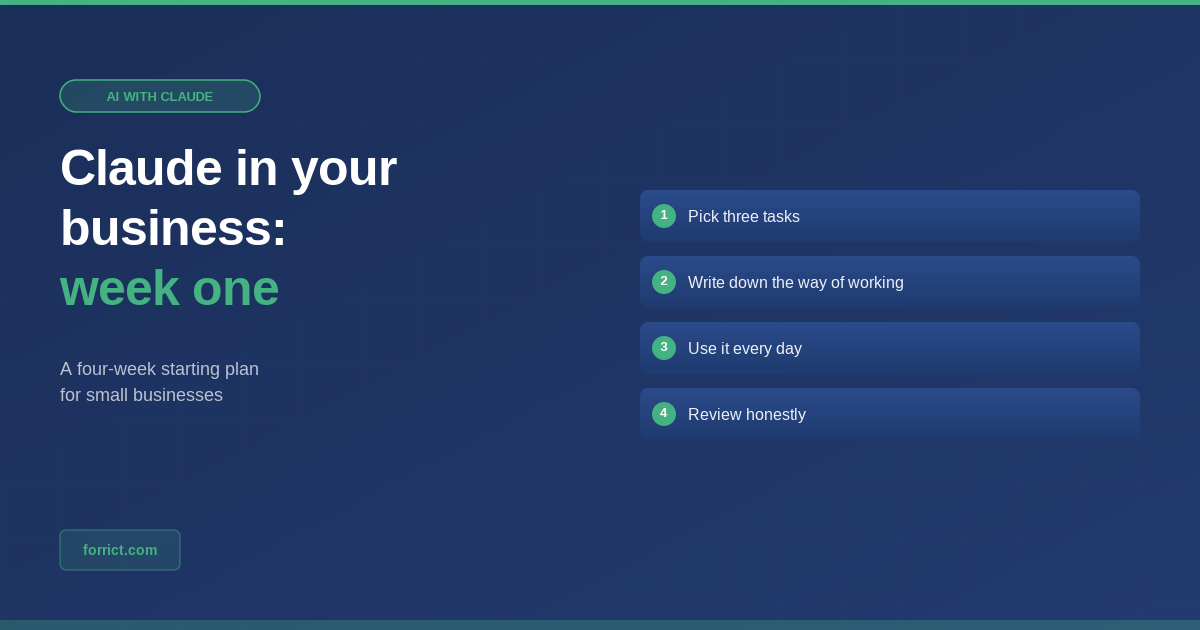
The four-week starting plan
| Week | What you do | Result |
|---|---|---|
| 1 | Pick three tasks and form a small group of two to five people | A short list of tasks and who tests them |
| 2 | Write down a fixed way of working for each task and use it in Claude | Reusable instructions instead of one-off questions |
| 3 | Use it daily and note what works and what does not | A log with examples and mistakes |
| 4 | Review: time saved, quality and risks | A decision per task: continue, adjust or stop |
Week 1: pick three tasks
A good first task has three traits:
- It comes back often, every week or more.
- The result is easy to check. You can read a draft email in a minute; a complex calculation takes longer.
- The risk is low. So do not start with something that goes to a customer without a check.
Examples that fit many businesses: turning meeting notes into an action list, drafting a first version of a quote letter, summarising a long document, or answering customer questions from your own manuals.
Also form a small group. Three people who really use it beat twenty who log in once.
Week 2: write down the way of working
The difference between “trying AI” and “using AI” is repeatability. For each task, write down how it should be done: what Claude gets, what you want back and what it has to meet.
You can use a project in Claude for this. According to the Claude Help Center, a project is a self-contained workspace with its own knowledge base and instructions: you upload documents and give context, and Claude uses them in every chat within that project. On Team and Enterprise plans you can share a project with colleagues.
Week 3: use it every day
Agree that the group does the three tasks with Claude this week and briefly notes:
- How long did it take with and without Claude?
- What did you have to fix in the result?
- Where did it go wrong?
That last question helps most. Mistakes show where your instructions need to be sharper, or where a task is not a good fit after all.
Week 4: review honestly
For each task, look at three things: time saved, quality and risk. Not every task has to continue. If you spend more time checking than you save, drop it. The tasks that do work become the standard for the rest of the team.
Ground rules from day one
Put these agreements on paper before you start:
| Ground rule | Why |
|---|---|
| You stay responsible for what you send | AI can make mistakes; a person always reviews |
| No sensitive personal data without an agreement | Agree upfront which data may and may not go into Claude |
| Use the business account, not your personal one | That way the company keeps oversight and control |
| Share what works | A good way of working belongs to the team, not to one person |
When is it time for the next step?
Once the first three tasks are running, the next question is usually: can Claude do this on its own? For example, produce an overview every Monday or look directly into your bookkeeping. That is the step from using to automating. See what that can look like at Claude + Exact Online.
Need help getting started?
Forrict helps small and mid-sized businesses with starts like this: from picking the first tasks to a hands-on training for your team. See AI with Claude or email info@forrict.nl.
Forrict
AWS expert and consultant at Forrict, specializing in cloud architecture and AWS best practices for Dutch businesses.