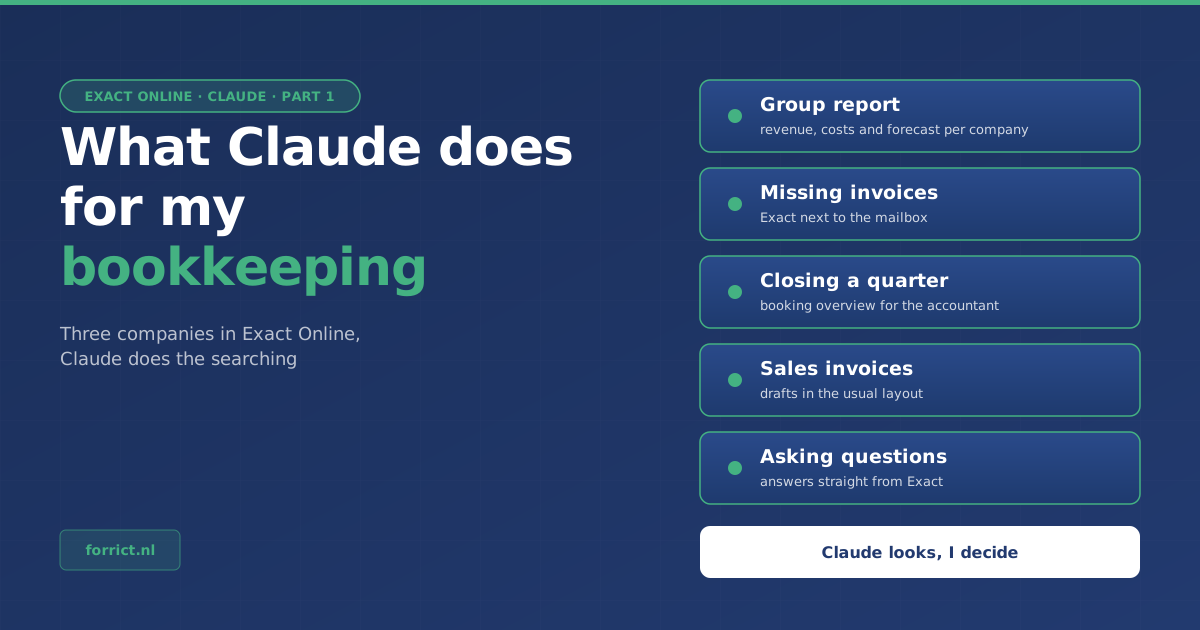
I have three companies, so three administrations in Exact Online. In this article they are called Company A, Company B and Holding C. A large part of bookkeeping is searching: checking what is missing, tracking down invoices, putting figures from three administrations side by side. Claude does that searching now. I check and decide.
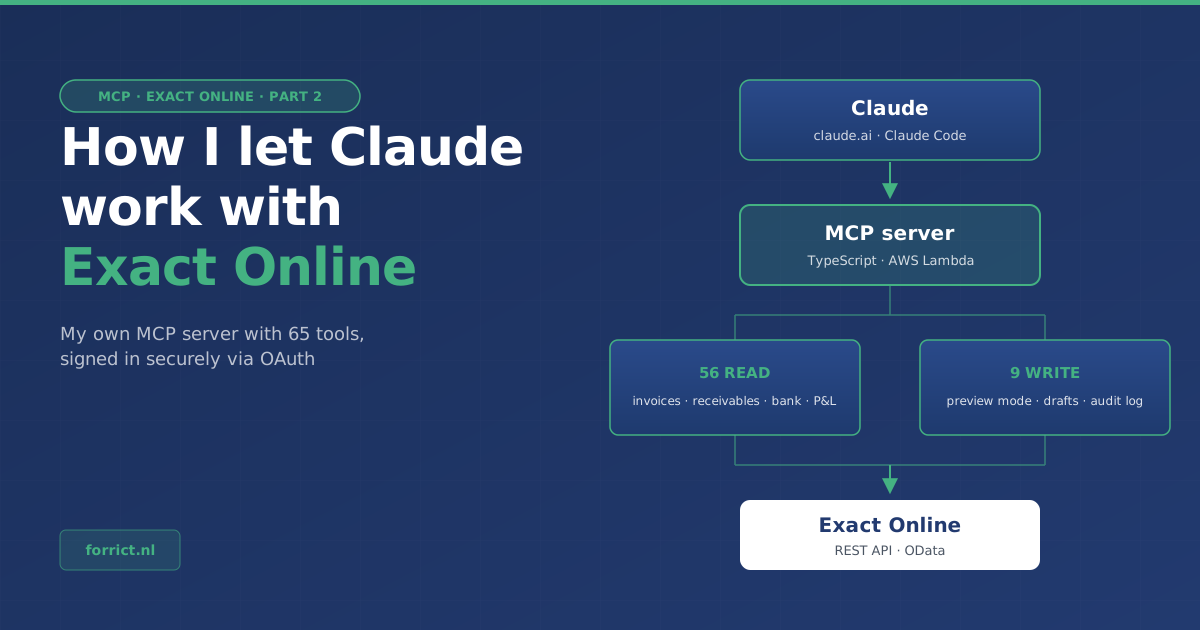
Claude reaches Exact Online through a connection I built myself. How it works technically is in part 2. This part is about what I actually use it for.
Just asking a question
It started small. I ask Claude which customers still owe me money, whether there are months without purchase entries, or what the combined profit and loss of the three companies looks like. Claude looks up the answer in Exact. I no longer have to click through three administrations.
That works well for one-off questions. But most questions come back every month. So for the recurring work I wrote work instructions. Such an instruction describes how my administrations are set up, what Claude should watch out for and which mistakes it made before. One example: a customer creates the invoices in my name. At first Claude took those for purchases. That is now in the instruction, so it does not make that mistake again.
The group report
Exact shows per administration what has been booked. But I want to know how the group as a whole is doing, and where I will end up at the end of the year. Exact does not show that on one screen.
For that, Claude makes a group report. Per company it lists revenue and costs per month, with a forecast for the rest of the year. Then it adds the companies together. It takes out the management fee that one company pays the other. Otherwise you count the same euro twice: as revenue at the holding and as costs at the operating company.
This is what the report looks like. The layout is exactly that of my own report, only the companies and the amounts are made up:
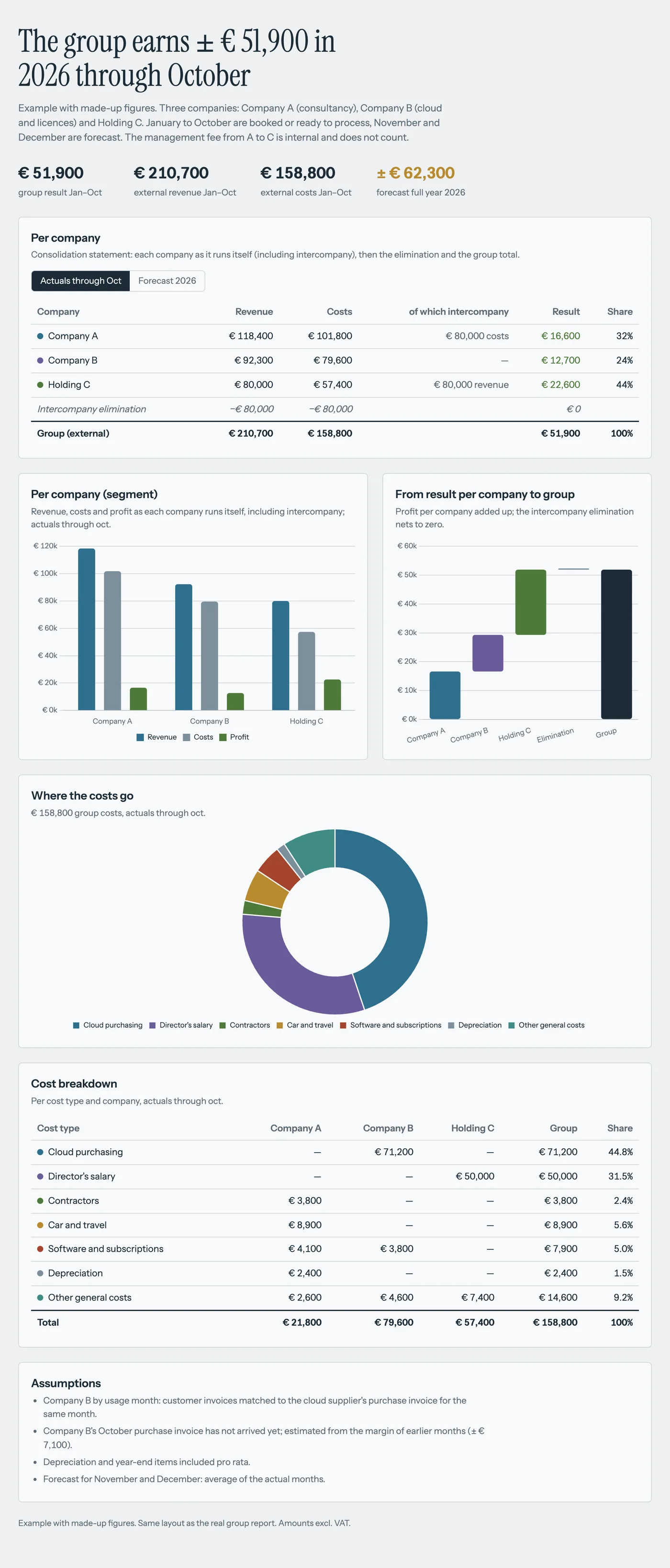
A few things I value in this report:
- Each company appears as it runs itself. Below that, one line removes the management fee on both sides, followed by the group total. So per company you see exactly what its own administration shows, and the group still adds up.
- Every figure has a status: booked, ready to process, forecast or to check. I can see right away which part is fixed and which part is an estimate.
- Assumptions are listed. If a supplier’s invoice has not arrived yet, Claude estimates the amount and writes under “Assumptions” what that estimate is based on.
- A script checks the sums. Claude looks up the figures, but a small program recalculates everything. If the cost breakdown does not add up to the total, I get a warning.
I make this report when I ask for it. A shorter version now runs automatically every Monday morning.
Tracking down missing invoices
At the end of a quarter there are always open items. A payment without an invoice, an amount on the “to be processed” account, a month without purchase entries. The hard part is not finding them, it is sorting them out. Many “missing” invoices are not missing at all.
Claude puts the open items from Exact next to my mailbox. Then it sorts them into four groups:
| Group | What I need to do |
|---|---|
| In my mail, not forwarded yet | Forward it to the purchase address of the right company |
| Already forwarded, not processed yet | Nothing to fetch, just process it in Exact |
| No document needed | For example an insurance premium that has always been booked straight from the bank |
| Really fetch it myself | Log in at the supplier and download the invoice |
The second and third groups save the most time. Without that split, you go to a supplier’s portal for an invoice that is already in Exact, or look for a document that never existed. That is why Claude first checks how a payment was booked in earlier months. If an insurance premium has always been booked straight from the bank, no invoice is needed now either.
When I say “forward them”, Claude sends the emails to the right Exact address. Exact rejects emails without an attachment, such as a payment confirmation. For those, Claude first makes a PDF. Forwarding new invoices every day now happens automatically as well.
Closing a quarter
For the VAT return, every quarter has to be right. For each open item I then need to know which account it belongs on, with which VAT, and what can be matched against what.
Claude makes a booking overview for that, per company. For each item it says where it should be booked and why. To decide, Claude looks at how the same supplier was booked earlier that year. When it is unsure, it does not guess but adds a question at the bottom of the document. The overview also shows how the companies invoice each other, what the administration should look like after booking, and an estimate of the VAT.
I use that document myself, and I can pass it straight on to my accountant. Only when I approve per company does Claude start booking. It shows every booking as a preview first. After booking, it checks whether the end result matches what it expected.
Preparing sales invoices
Every month I invoice customers for cloud costs and hours. Each customer has its own fixed layout: the month in the description and the explanation in a note. Exactly the kind of work where a small mistake slips in easily.
Now I say, for example: “Invoice customer X for 1 hour and 15 minutes of consultancy for October, like last time.” Claude looks at that customer’s previous invoice and prepares a draft invoice in the same layout, with 1.25 hours.
The invoice stays a draft. I check it and send it myself from Exact.
Claude looks, I decide
All these routines follow the same rules:
- Reading is always allowed. Claude can look at everything in Exact.
- Writing only after approval. Claude shows bookings as a preview first. What it creates arrives in Exact as a draft. I finalise it myself.
- Doubt becomes a question. If Claude is not sure about something, it flags it and asks me.
- What Claude learns, I write down. Every mistake it makes goes into the work instruction, so it does not make it a second time.
That way my time goes to deciding instead of searching. And every quarter my accountant gets an overview in which every item already has a place, or a question.
Part 2: the technology
How Claude reaches Exact Online is the subject of part 2. That is about the connection itself: 65 tools, secure sign-in, and the lessons I learned about the Exact API.
Do you work with Exact Online and want this for your company too? I help SMEs automate their bookkeeping and other workflows with Claude, and train teams that want to work with AI. Read more about AI with Claude or send me a message.
Fons Biemans
AWS expert and consultant at Forrict, specializing in cloud architecture and AWS best practices for Dutch businesses.