More and more organisations run on both AWS and Microsoft Azure. One application lives in AWS, identities and Microsoft 365 sit with Microsoft, and an acquisition often adds another Azure environment. Getting those two clouds to talk privately has meant work until now: a VPN over the internet, or your own links through a data centre where both AWS Direct Connect and Azure ExpressRoute are available.
On 17 November 2026, AWS announced that AWS Interconnect - multicloud is now generally available for Microsoft Azure. Below is exactly what was announced and how it works, with the sources. After that, our view on when to use it.
What was announced?
According to the AWS announcement, AWS Interconnect - multicloud with Microsoft Azure is now generally available. AWS describes it as a purpose-built product for connecting workloads across clouds, replacing do-it-yourself multicloud networking that is complex to build and manage. Microsoft started the public preview in August and adopted the same open specification.
| What the announcement says | |
|---|---|
| What | Managed, private connectivity between AWS and Microsoft Azure |
| Status | Generally available (announced 17 November 2026) |
| AWS Regions for Azure | us-east-1 (N. Virginia), ap-southeast-2 (Sydney) and eu-central-1 (Frankfurt) |
| How to create | AWS Management Console, AWS CLI or API |
| Other clouds | The same experience also connects Google Cloud and Oracle Cloud Infrastructure |
| Open specification | Published on GitHub |
How does it work?
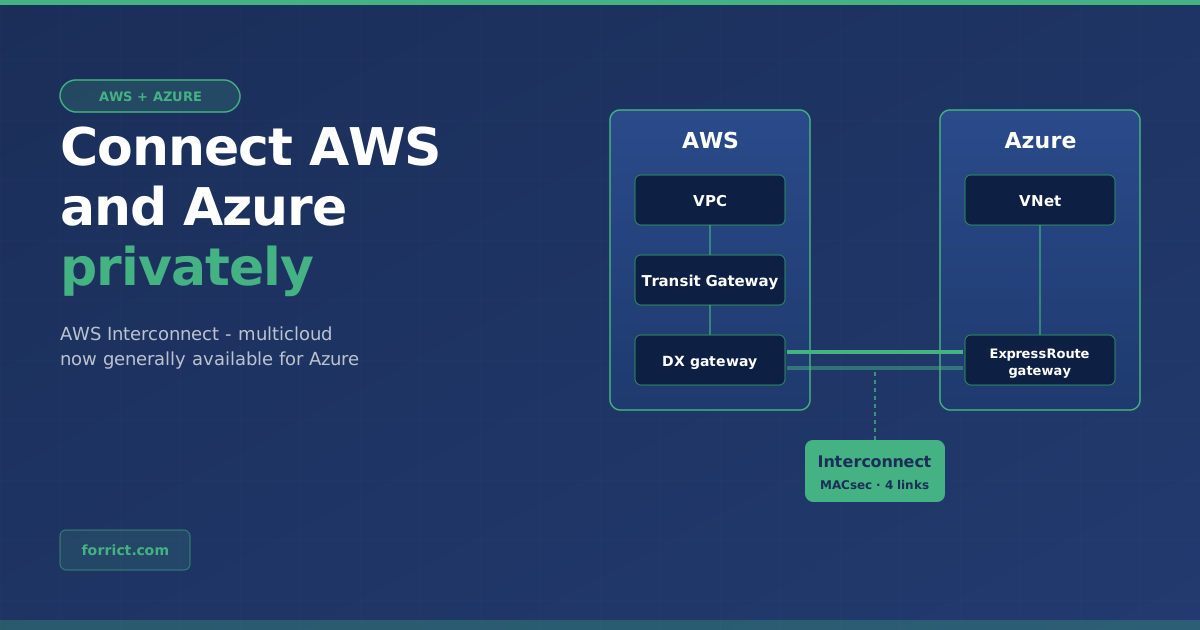
You don’t configure routers, order cross-connects or set up BGP sessions. You pick an AWS Region, the bandwidth and the other cloud provider. AWS and the provider then present the capacity as a single object: an interconnect (AWS documentation).
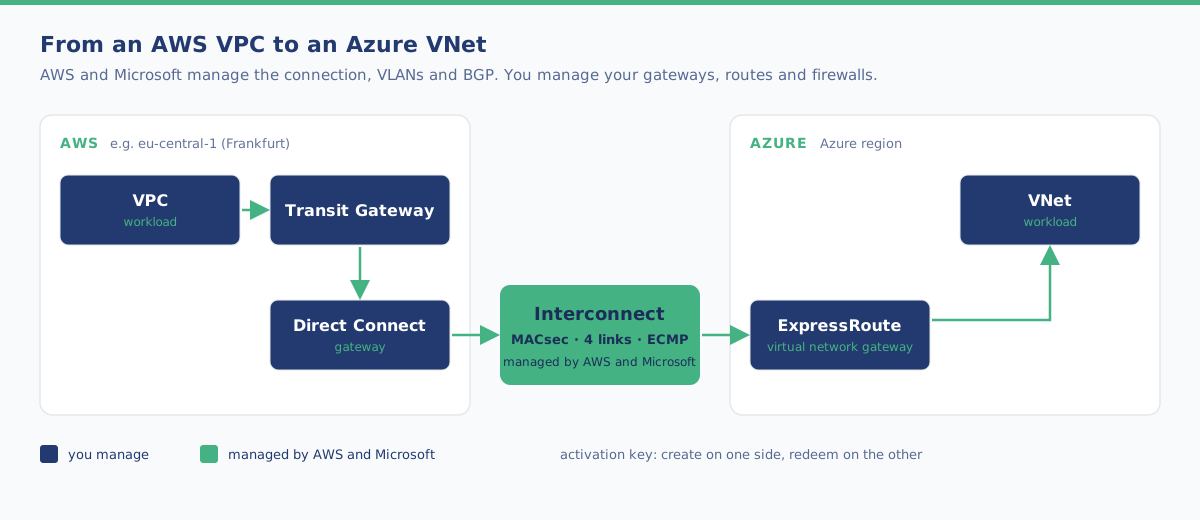
| Component | What it does |
|---|---|
| Direct Connect gateway | The attach point on the AWS side. Behind it sits a Virtual Private Gateway, Transit Gateway or Cloud WAN |
| Interconnect | The managed connection between AWS and Azure, shown as one object in your account |
| Activation key | A key one side creates and the other side redeems to approve the connection |
| ExpressRoute virtual network gateway | The entry point for traffic coming into Azure, towards one or more VNets (Microsoft FAQ) |
How to set it up
Based on the AWS getting started guide and the Microsoft FAQ:
- In the Direct Connect console, under AWS Interconnect, create a new multicloud interconnect and select Azure.
- Choose your AWS Region and the Azure-side region, the bandwidth and a Direct Connect gateway.
- AWS shows an activation key. You redeem it in Azure. It also works the other way round: start in Azure and redeem the key in AWS.
- AWS and Microsoft then provision the connection automatically, including VLANs, addressing and BGP.
- In Azure, connect it to an ExpressRoute virtual network gateway for your VNets.
Availability and security
| What the documentation says | |
|---|---|
| Redundancy | Every interconnect spans multiple devices in at least two physical buildings, with four connections and ECMP load balancing |
| Encryption | MACsec is on by default on the physical links between AWS and the other provider. Traffic only flows when encryption is active |
| Monitoring | One CloudWatch Network Synthetic Monitor per interconnect (latency and packet loss) at no extra cost, plus a bandwidth utilisation metric |
| Changes | Increase or decrease bandwidth in the console without reprovisioning |
What does it cost?
The AWS pricing documentation only covers the AWS side. Microsoft sets the price of the Azure side itself.
| AWS side | |
|---|---|
| Model | A single hourly fee based on bandwidth and distance. No separate charge for data transferred |
| Distance | Five tiers: from local (Tier 1) to maximum scope (Tier 5) between the Region of your workload and the Region of the interconnect |
| Free option | One free local (Tier 1) 500 Mbps interconnect per AWS Region per provider that is generally available with AWS (announcement) |
| Note | A free interconnect can’t be converted to a paid one. The other provider may have its own quotas for 500 Mbps |
What to watch out for
| Point | What it means |
|---|---|
| Azure documentation lags behind | At the time of writing (18 November), the Microsoft documentation still describes the Azure side as preview: 1 Gbps, regions Australia East, East US, Germany West Central and West US, and no SLA. Before going to production, check what Microsoft now says about price, SLA and bandwidth |
| Transit Gateway is local only | A Virtual Private Gateway or Transit Gateway can only reach an interconnect in the same Region. Other Regions can connect through Transit Gateway peering (with its costs) or through Cloud WAN, which can reach any interconnect globally |
| No overlapping addresses | Both AWS and Microsoft ask for address spaces that don’t overlap |
| One gateway connection | On the Azure side, an interconnect supports one gateway connection during the preview |
| Your part stays your part | Firewalls, routes, access policies, application-level encryption and application resilience are still yours to manage |
| Not for on-premises | For a link from your own site to Azure, ExpressRoute is still the route. For AWS, AWS Interconnect has a separate option: last mile |
Our view: when should you use this?
This section is Forrict’s opinion, not part of the announcement.
If you run AWS and Azure side by side, this is the new default. A VPN between two clouds works, but you manage the tunnels, the keys and the throughput yourself. Your own link through a data centre takes time, contracts and knowledge of two network services. A connection you create in a few steps from the console, with redundancy and MACsec on by default, removes that work.
Start with the free 500 Mbps. For many SME environments that is enough for, say, database replication or API traffic between applications. Measure usage with the built-in CloudWatch metric and only scale up when needed. Do keep an eye on what Microsoft charges for the Azure side.
For the Netherlands, Frankfurt is the logical choice. Of the three AWS Regions for Azure, only eu-central-1 is in Europe. If your AWS environment runs in Ireland (eu-west-1) or another Region, you need Cloud WAN or Transit Gateway peering, and that costs extra.
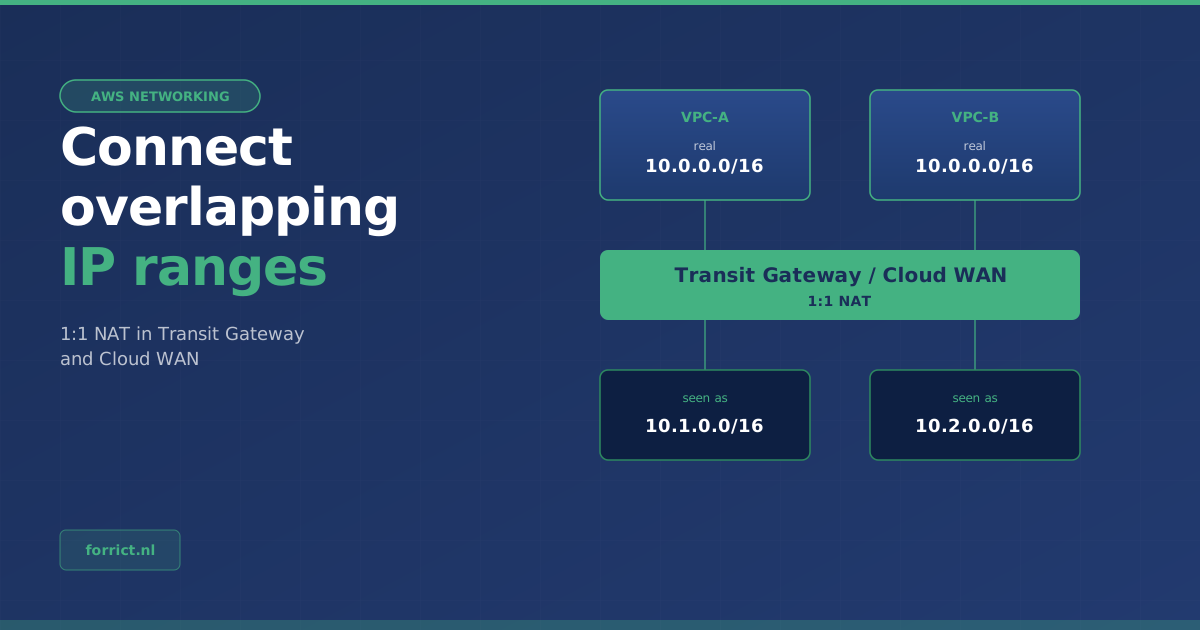
An address plan across both clouds is now a must. Overlap between a VPC and a VNet makes the connection hard. So agree on one address plan for AWS and Azure together. If there is already overlap, for example after an acquisition, 1:1 NAT in Transit Gateway can help, but a clean address plan remains the basis of a good AWS Landing Zone.
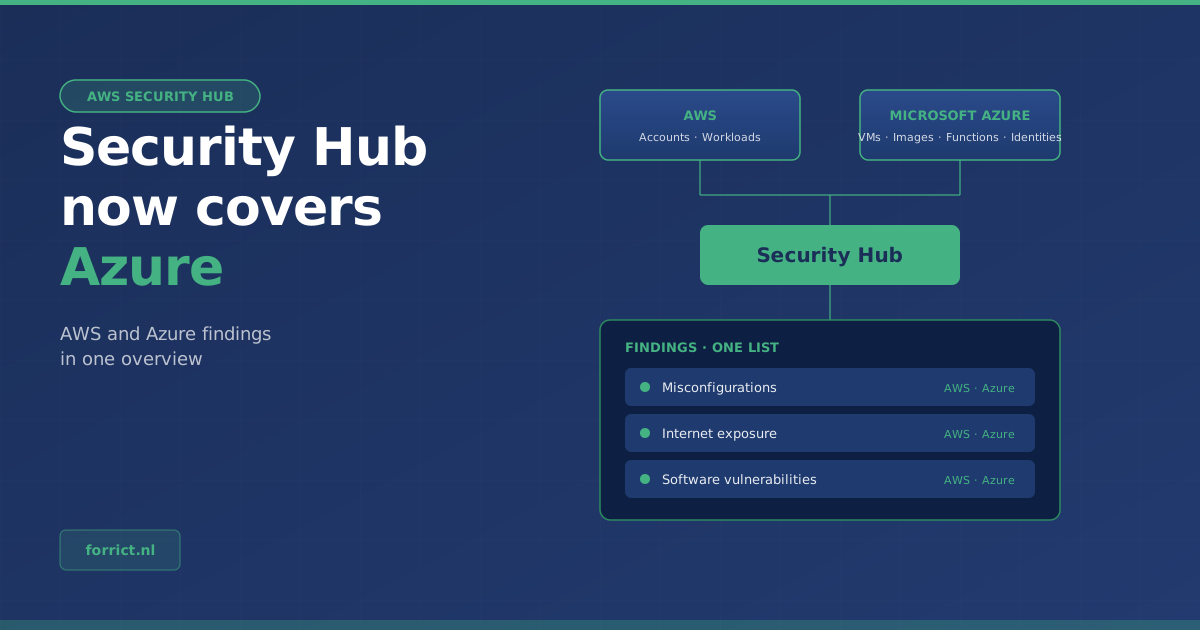
Look at security across both clouds too. A private connection doesn’t mean all traffic is trusted. Keep security groups and Azure Network Security Groups tight, and monitor both environments in one place, for example with AWS Security Hub for Azure.
How to approach it
- Map which workloads in AWS and Azure need to talk to each other, and how much traffic that is.
- Check whether your address spaces in AWS and Azure overlap.
- Choose the Regions: eu-central-1 on the AWS side is the obvious choice for the Netherlands.
- Test with the free 500 Mbps interconnect in a non-production environment, including firewall rules and monitoring.
- Check the current Azure terms (price, SLA, bandwidth) before going to production.
Need help with a network across AWS and Azure? We combine it with an AWS Landing Zone and our Azure services.
Get in touch about your multicloud network →
Sources
- AWS What’s New, 17 November 2026: AWS announces general availability of AWS Interconnect - multicloud connectivity with Microsoft Azure
- AWS What’s New, 29 May 2026: AWS Interconnect - multicloud now offers a free 500 Mbps tier
- AWS documentation: What is AWS Interconnect?
- AWS documentation: Getting started with AWS Interconnect (multicloud)
- AWS documentation: Pricing for AWS Interconnect
- Microsoft Learn: What is Azure Multicloud Interconnect Preview?
- Microsoft Learn: Availability and limits
- Microsoft Learn: Azure Multicloud Interconnect Preview FAQ
- Open specification: aws/Interconnect on GitHub
Forrict
AWS expert and consultant at Forrict, specializing in cloud architecture and AWS best practices for Dutch businesses.