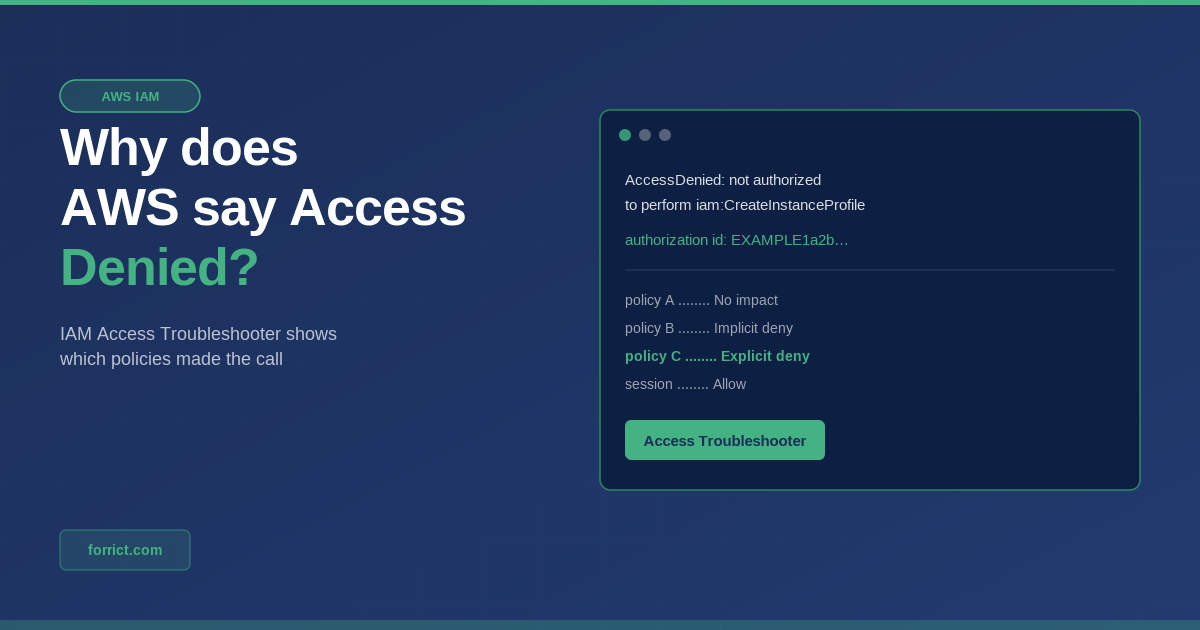
Everyone who works with AWS knows the message: is not authorized to perform. Until now it told you, at most, which policy denied access. Which other policies AWS looked at, and why there was no permission, you had to work out yourself. That often meant trying, changing and trying again.
On 17 November 2026, AWS announced IAM Access Troubleshooter. Below is exactly what was announced and how it works, with the sources. After that, our view on what to do with it.
What was announced?
According to the AWS announcement, an Access Denied error from supported services and APIs now includes a unique authorization ID. With that ID you retrieve the details of the authorization the service performed.
| What the announcement and documentation say | |
|---|---|
| What you see | Which policies were evaluated, the context of the request and the result of each evaluation |
| How | Through the link in the error message (IAM console), the GetRequestAuthorizationDetails API or the AWS CLI |
| Retention | At least 24 hours after the denial |
| Region | Retrieve it in the same Region where the error occurred |
| Policy state | As they were at the time of the denial |
How does it work?
The AWS documentation shows what such an error message now looks like. At the end there is a console link and the authorization ID:
User: arn:aws:iam::000111222333:user/janedoe is not authorized to perform: iam:CreateInstanceProfile
on resource: arn:aws:iam::000111222333:instance-profile/my-instance-profile
with an explicit deny in an identity-based policy: arn:aws:iam::000111222333:policy/ExampleDenyPolicy.
Go to https://us-east-1.console.aws.amazon.com/iam/home?region=us-east-1#/authorization-details/EXAMPLE1a2b3c4d5e6f7g8h9i0j for complete details,
or call the GetRequestAuthorizationDetails API with the following authorization id: EXAMPLE1a2b3c4d5e6f7g8h9i0j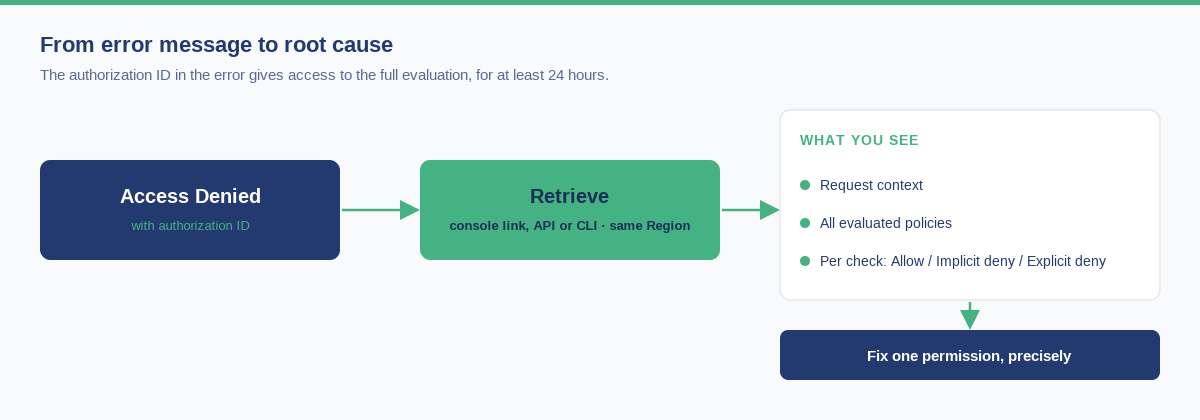
With the CLI you retrieve the details using the same ID, in the same Region:
aws iam-toolbox get-request-authorization-details \
    --region us-east-1 \
    --authorization-id EXAMPLE1a2b3c4d5e6f7g8h9i0j
To see the text of a policy as it was at that moment, use get-request-authorization-policy with the ID and the policy URI from the response.
What’s in the details?
| Part | What it shows |
|---|---|
| Request context | The context of the request, such as condition keys |
| Evaluations | For each action and resource pair, the result: ALLOW, EXPLICIT_DENY or IMPLICIT_DENY |
| Policies | All policies AWS considered for the request, including ones that didn’t match, with type, ARN and what they’re attached to |
| Checks | For each check, the type (for example PRINCIPAL or SESSION) and the outcome: Allow, Implicit deny, Explicit deny or No impact |
What to watch out for
| Point | What it means |
|---|---|
| Not everywhere yet | Support is rolling out gradually. Right now some APIs of CodeDeploy, IAM, KMS, STS, Step Functions, EC2, ECR, Kinesis Data Streams and SQS support it |
| Not always an ID | No ID when the authorization is too large to record, or for requests a service makes on your behalf and anonymous requests |
| Be patient | Details are recorded asynchronously. If you get not found, wait a moment and try again |
| Permissions needed | iam:GetRequestAuthorizationDetails for the details, iam:GetRequestAuthorizationPolicy for the policy text |
| Within your organisation | You can retrieve details from the same account, or from the AWS Organization in which the denial was recorded. Details belonging to another organisation are not returned |
| Short retention | At least 24 hours. If you want to look back later, save the details yourself |
The announcement and documentation don’t mention any cost.
Our view: what does this mean for you?
This section is Forrict’s opinion, not part of the announcement.
Less guessing, faster fixes. Solving an Access Denied often goes like this: change a policy, try again, and again. With an overview of every evaluated policy and the outcome of each check, you see at once where the problem is. That saves developers and administrators time.
Especially useful in a landing zone. In a multi-account environment, organisation-wide guardrails often play a role next to the user’s own permissions. That makes it extra hard to see which layer blocks access. An overview of all policies and checks makes it visible, without having to weaken guardrails to test. Read more about how we set that up in an AWS Landing Zone.
Give the right people permission to look. Whoever can retrieve the details sees which policies exist and how they work. So grant iam:GetRequestAuthorizationDetails and iam:GetRequestAuthorizationPolicy deliberately, for example to the platform team rather than everyone.
Least privilege becomes easier to keep up. The temptation with an Access Denied is to widen permissions until it works. When you see exactly which action, resource and condition is missing, you can add one targeted permission.
How to approach it
- Let your team know that Access Denied errors from supported services now include a link and an ID, valid for at least 24 hours.
- Give the platform or security team the
iam:GetRequestAuthorizationDetailsandiam:GetRequestAuthorizationPolicypermissions. - Add the step to your runbook for access problems: retrieve the details first, then change policies.
- Keep an eye on the list of supported services, because it is growing.
Want to get your access permissions in order? In an AWS Security Assessment we look at IAM and guardrails among other things, and with Managed AWS we solve these problems for you.
Get in touch about your AWS environment →
Sources
- AWS What’s New, 17 November 2026: AWS IAM announces Access Troubleshooter to debug access denied errors
- AWS documentation: Troubleshoot access denied error messages with authorization ID
- AWS documentation: Supported services
Forrict
AWS expert and consultant at Forrict, specializing in cloud architecture and AWS best practices for Dutch businesses.